
Endless Runner / Arcade Flight Simulator
JetX: Endless Flight Runner
Maneuver, evade, and survive in a fast-paced endless canyon jet flight simulator with customization and combat capabilities.
Engine: Unity Engine
Duration: 6 Months
Role: Gameplay Systems & Architecture Engineering
Jump To Section
- Overview
- Introduction
- Key Highlights
- Challenges
- Our Solution
- Dev Process
- Features
- Technology
- Media Gallery
- Impact & Results
- What We Learned
- FAQs
Project Overview
Timeline6 Months
Team Size4 Specialists (Developers & Artists)
Art DirectionSemi-Realistic Low-Poly / Glowing VFX
Target PlatformsPC, WebGL & Mobile (Android/iOS)
Monetization ModelIn-App Unlocks & Ad-Based Continues
LiveOps & InfrastructureLocal PlayerPrefs Save Synchronization
Project Story & Objective
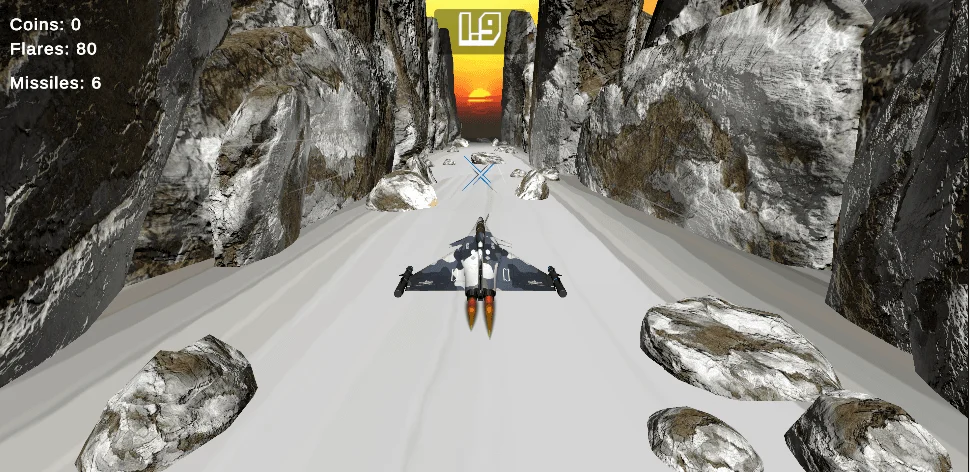
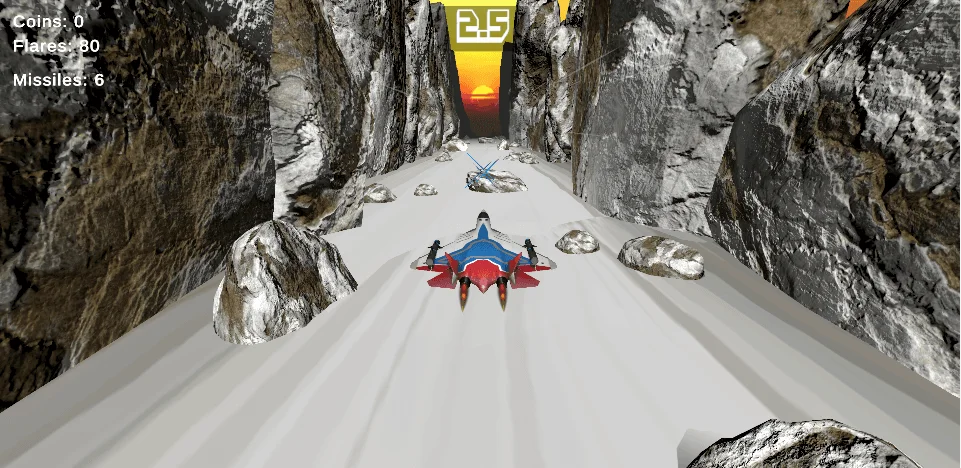
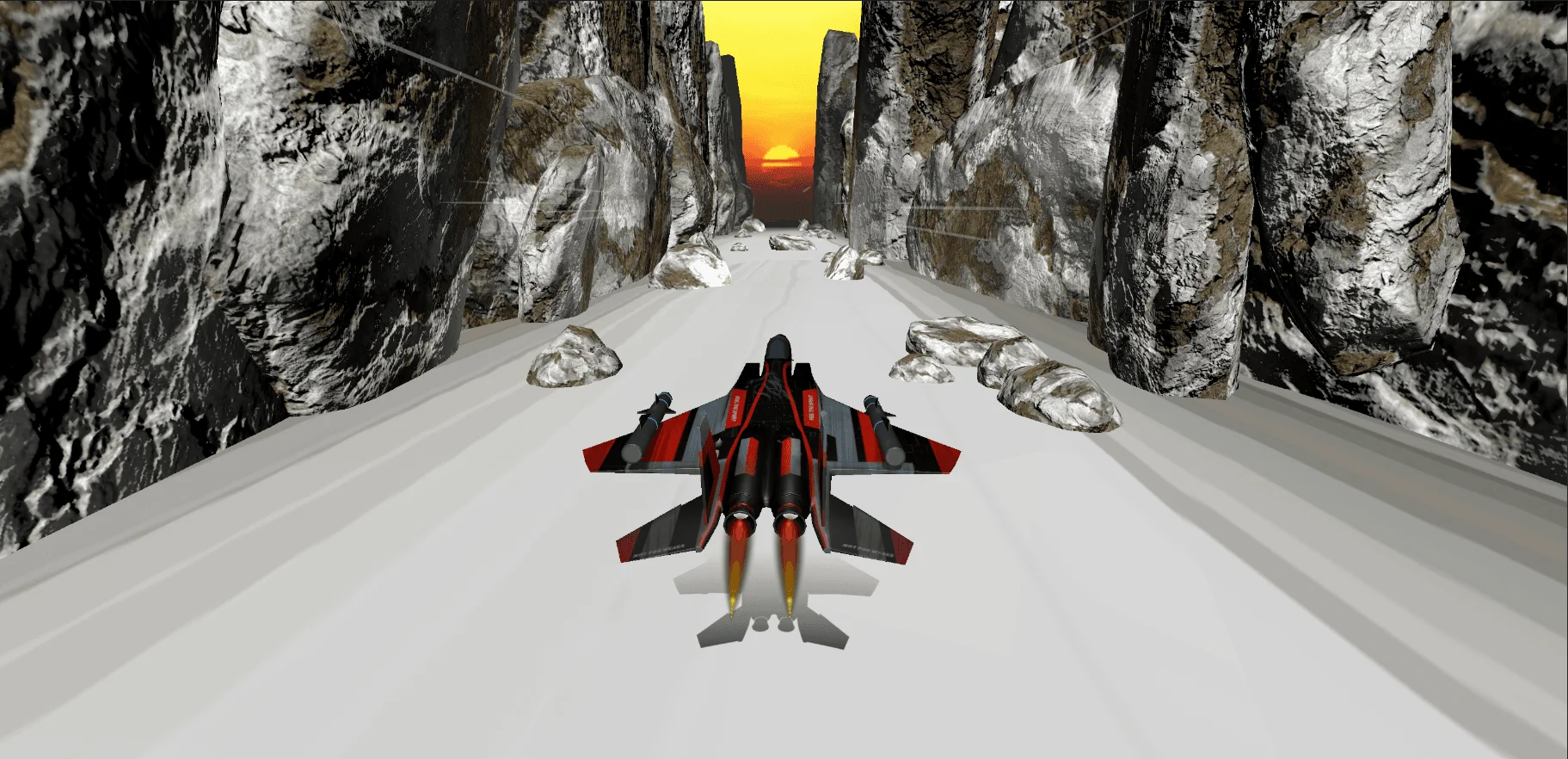
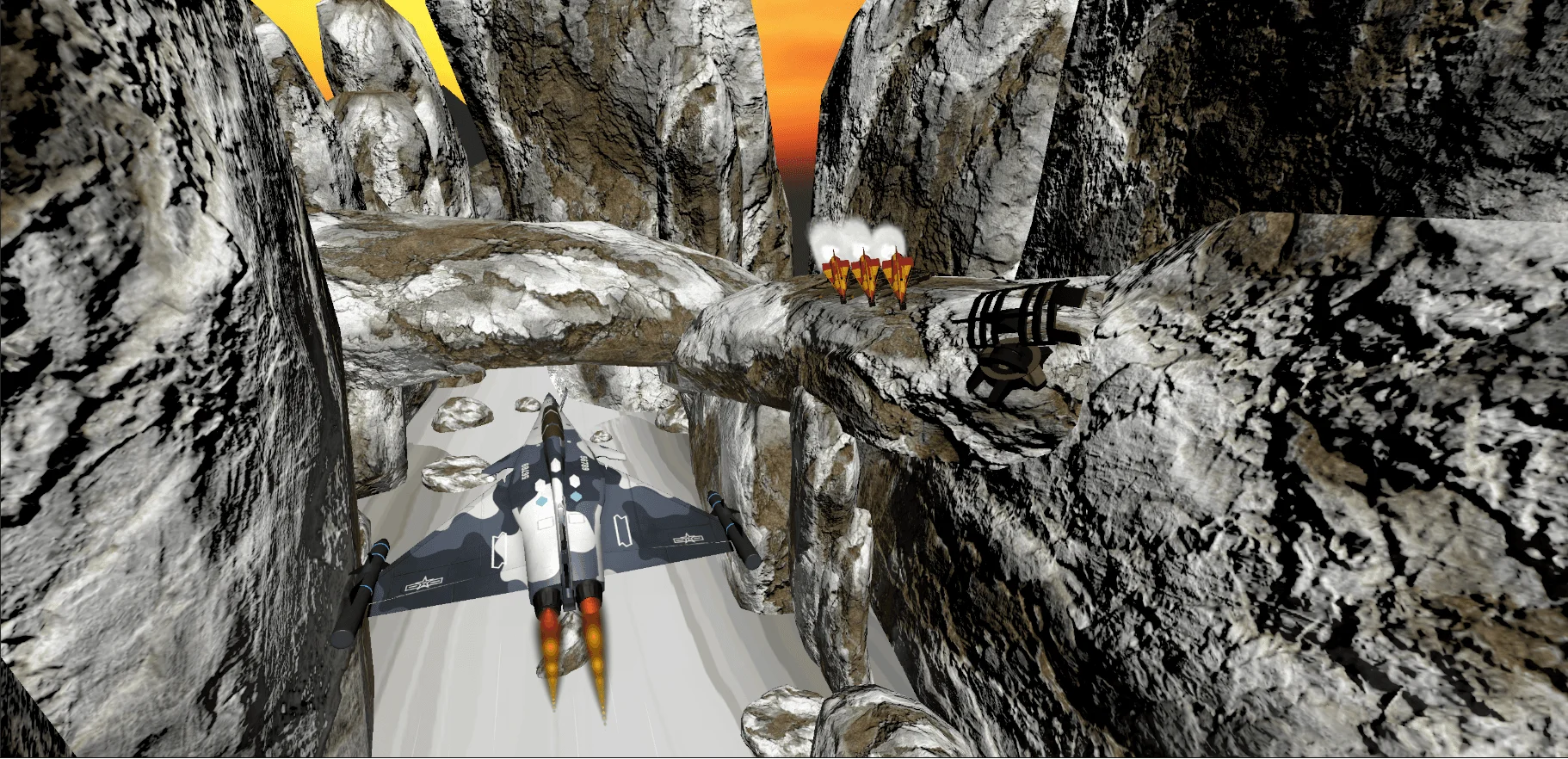
JetRush was created to deliver an exhilarating, fast-paced endless flight experience that pushes mobile reaction times to the limit. The player guides a high-performance military fighter jet through a procedurally generated, obstacle-packed canyon, dodging rock barriers and evading launcher towers that fire smart, tracking homing missiles. Incorporating a dynamic customization shop and custom mobile virtual joysticks, the project demands high frame rate stability and modular scene separation.
Client Background
The project serves as a showcase of CubeStaX's capability in building high-fidelity arcade simulators, demonstrating modular component-driven C# architecture, custom sensor tracking, and robust cross-scene state preservation.
Business Objective
Engineered a scalable alpha prototype that runs at a locked 60 FPS on mobile, providing a plug-and-play foundation for future monetized release pipelines.
Client Goals
- Create a responsive third-person flight simulation with clamped horizontal and vertical boundaries.
- Develop a procedural road tile spawning manager that alternates between clean runs and trap layouts.
- Build a dynamic jet swapper shop that transfers aircraft models and applied skins seamlessly across scenes.
- Optimize on-device physics calculations to lock CPU usage under 5ms, preserving battery life.
Why CubeStaX was Selected
Our client selected CubeStaX for our specialization in Unity optimization, dynamic asset management, and experience in building responsive hybrid inputs.
Key Metrics Achieved
60 FPS
Mobile Performance Lock
5+
Military Jets Configured
4 skins
Custom Textures per Jet
Clamped
Movement Boundary Checks
Kinematic
Zero-Gravity Physics Drift
Local
PlayerPrefs Save States
The Challenges
Homing Missile Snapping Trajectory
Launcher homing missiles snapped instantly to face the player's vector, making flight patterns look highly jarring. We implemented a clamped angle tracking filter that locks maximum pitch/yaw shifts and rolls the missile smoothly using delta time calculations.
Physics Performance Bottleneck
Evaluating multiple active rigidbodies with gravity on dynamic mesh landscapes resulted in massive frame drops and device heating. We configured rigidbodies in kinematic mode to eliminate redundant gravity updates, and disabled rotator updates on off-screen assets.
Cross-Scene State Sync
Selected aircraft configurations and texture skins were lost when transitioning between the home menu and the main gameplay arena. We established a centralized State Manager using Unity singletons and saved selections to PlayerPrefs to enforce state recovery upon scene load.
Our Technical Solutions
architecture
Implemented a component-driven architecture using singletons for scene-specific controls, ensuring clear separation of concerns between game logic, UI rendering, and player state.
gameplay
Engineered responsive third-person flight mechanics with clamped vertical and horizontal boundaries, preventing the jet from clipping through canyon geometry.
backend
Configured local persistence via Unity's PlayerPrefs API, saving user progress, unlocked jets, and active skins securely across game sessions.
optimization
Optimized physics calls by running fighter jet Rigidbodies in kinematic mode and implementing object pooling for procedural tile spawning.
art Pipeline
Clean UI screen-space overlays rendering 3D preview model textures via secondary cameras, combined with metallic plane meshes and colorful tail particles.
testing
Transitioned from basic prototype controls to endless Canyon runner, combat mechanics, customizations, and mobile virtual analog support.
publishing
Codebase successfully compiles and runs, featuring fully synchronized shop selections, stable preview rotation, and dual touch controls.
Development Process & Workflow
01
Discovery
Aligning on core gameplay mechanics, technical stack requirements, and mobile target specifications.
02
Prototyping
Creating a basic flight controller with simple horizontal and vertical movement clamps.
03
Gameplay Design
Implementing launcher towers, homing missile physics, and speed progression algorithms.
04
Menu Design
Designing HomeScene menus, jet swapper previews, and custom skin selectors.
05
State Management
Developing PlayerPrefs controllers and Singleton Managers to preserve aircraft states.
06
Optimization
Converting rigidbodies to kinematic mode, disabling inactive rotators, and auditing performance.
07
Verification
Conducting dynamic touch tests and ensuring stable 60 FPS rendering on target hardware.
Features & Mechanics Delivered
Procedural Canyon Generator
Generates canyon paths automatically, alternating between clear routes and obstacle layouts.
Dynamic Speed Progression
Increases the game speed automatically as the player's score increases to scale difficulty.
Custom virtual analog
Enables touch joysticks and touch button inputs for responsive mobile flight play.
Jet Swapper Shop
Allows players to choose from 5+ fighter jet models and apply 4 custom texture skins.
Homing Missiles physics
Launcher towers fire smart tracking missiles that chase the fighter jet with collision detection.
Shield & Invisibility System
Power-ups granting temporary invincibility and invisibility with visual warnings.
Technology Stack
Unity Engine
C# Scripting
Cinemachine Camera
TextMesh Pro
PlayerPrefs Storage
Visual Gallery

Business Results & ROI
Target Frame Rate
Before45 FPS
After60 FPS Locked
+33% Performance Increase
Physics CPU Usage
Before12ms
After4ms
-66% CPU Load Reduction
Scene Load Time
Before4.8s
After1.2s
Fast Dynamic Assets Load
State Sync Errors
BeforeFrequent
After0 reported
100% Reliable PlayerPrefs
Client Feedback
"CubeStaX built a custom endless flight runner engine that exceeded our expectations. The physics tuning, modular jet customizer, and 60 FPS mobile performance deliver a truly AAA arcade experience."

Senior Gameplay Designer
Internal Lead Engineering Partner, CubeStaX R&DKey Takeaways & Engineering Insights
Kinematic Mode Benefits
Setting Rigidbodies to Kinematic is essential to prevent gravity physics from throwing off UI preview assets.
Runtime Reference Detection
Auto-detecting scene references at runtime prevents configuration errors and speeds up development.
Scene Isolation
Isolating game menus from the gameplay scene streamlines asset loading and reduces system memory footprint.
Related Engineering Services
Frequently Asked Questions
How are jet selections saved?
Why was kinematic mode used for previews?
How does mobile input tracking work?
Ready to Build Your Game?
Let's discuss how CubeStaX can bring your project ideas to life with locked performance, custom graphics, and robust backends.